“I just need to reply.”
Keep the conversation. Give this visit one job, then leave when it is done.
Keep Instagram, change the habit →Android · In development
Simple app blocking.
Keep the apps you need. Make a little space from the ones you open without thinking.
See how it works Read the practical guides →Stay in control, not controlled.
Sound familiar?
You still want the conversation, the recipe or the film. A useful boundary leaves room for those things.
Keep the conversation. Give this visit one job, then leave when it is done.
Keep Instagram, change the habit →
A small pause gives you a chance to notice the automatic tap and choose what happens next.
Try a smaller first step →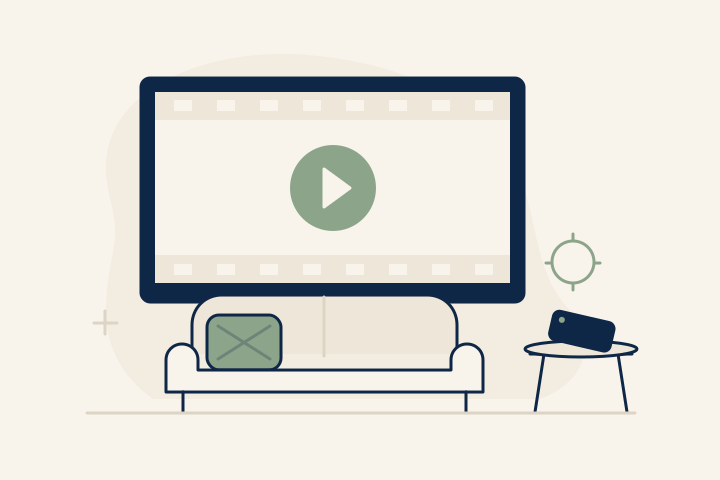
A planned evening on the sofa is different from drifting through a feed. Make room for it.
Plan for movie night →01 / A little intention
Zomok is being built around a simple idea: choose the apps, choose the time, then get on with your day.
One list of the apps you want a little distance from. You decide what belongs on it.
Set one daily blocking interval—even overnight. Pro will also offer Always blocking.
With Pro, choose Quick or PIN when you need temporary access to a particular app.
An early look at the planned experience. Zomok is not available to download yet.
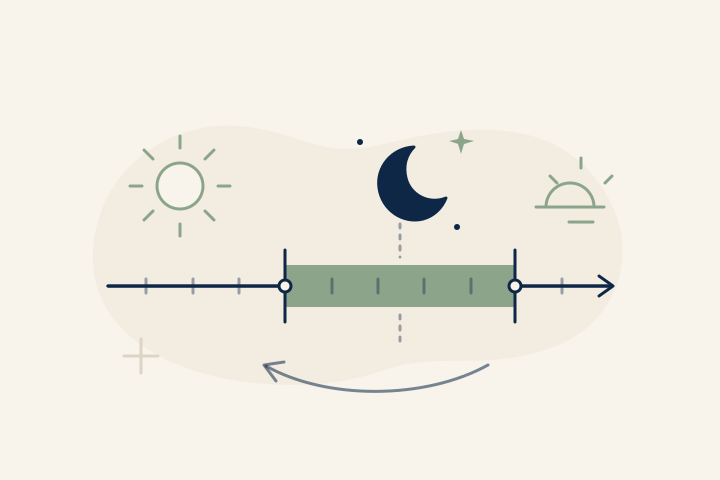
One routine, every day
For example, choose 9 pm to 8 am for your selected apps. The planned Free schedule repeats every day and can cross midnight.
Illustration of the planned behavior, not an app screenshot.
02 / Flexibility, thoughtfully
Pro will offer Always or Scheduled blocking, with one unlock method for your selected apps.
A moment to decide.
Take a cancellable 30-second pause, then open one app for 5, 10, or 15 minutes.
Your PIN. Your way back in.
Enter your PIN for a 30-minute per-app session by default. Set individual apps to 30, 60, 90, 120, or 150 minutes.
Both methods give access to one app. Time runs from the unlock, even with the screen off. Blocking is intended to resume when the session ends.
03 / Simple by design
One free starting point. The same Pro features, however you choose to pay once Zomok launches.
| A place for your attention | Free | Pro |
|---|---|---|
| Your selected app list | Included | Included |
| One daily scheduleSame apps, every day. Overnight, too. | Included | Included |
| Always blocking | — | Included |
| Quick or PIN UnlockOne global method of your choice. | — | Included |
| Accounts, ads, or activity tracking | None | None |
Same capabilities. Three ways to make them yours.
$4.99/ month
Billed monthly
$29.99/ year
Billed yearly
$99one-time
One purchase
USD baseline · Not available for purchase. Localized Google Play pricing will apply at launch. No free trial has been selected.
Space for you. Privacy, too.
No accounts. No ads. No behavioral history. Essential app settings are designed to stay on your device.
04 / A few things to know
Simple should still be clear.
Here are the details.
Not yet. Zomok is an unreleased Android prototype. The features and prices on this page describe the planned product. There is no Google Play release, confirmed launch date, or purchase available today. iOS is not part of the first release.
Choose one list of apps and one recurring daily blocking interval. The same interval applies to every selected app, every day, including weekends. It can cross midnight—for example, 9 pm to 8 am. There are no weekly profiles or multiple schedules. Outside that interval, your apps are available normally. You can edit your list and schedule without a PIN or waiting period.
Pro lets you choose one global unlock method: Quick or PIN. Quick offers 5, 10, or 15 minutes for one app after a cancellable 30-second wait, with up to five successful grants per local calendar day. Cancelling the wait uses none. PIN gives access after entering your PIN, with no waiting countdown or daily quota. Each new PIN session requires your PIN.
A session is for one app and runs for elapsed time from the successful unlock, even if you switch apps or lock your screen. It is not a daily screen-time allowance. The planned behavior is automatic reblocking when the session expires if blocking is still active. Other selected apps keep their own blocking state. Physical-device reliability has not yet been verified.
Yes, in the planned Pro PIN mode. Each app starts with a 30-minute session. You can choose 30, 60, 90, 120, or 150 minutes for an individual app without changing the others. These are per-session durations, not cumulative daily limits.
Zomok is designed without accounts, cloud sync, advertising, analytics, behavioral history, or usage profiling. Essential app settings stay on your device. Android services and Google Play Billing process necessary information independently. This website has no analytics, tracking pixels, forms, or nonessential cookies; hosting infrastructure may process request data. Our draft Privacy Policy explains the distinction.
Read the draft Privacy PolicyNo. Zomok is a tool for intentional app use, not a tamperproof or uninstall-proof lock. Blocking depends on Android permissions and device behavior. You remain in control of your device. The app has not received Google Play approval, and physical-device reliability has not been verified.
Yes. Monthly, yearly, and lifetime are planned to include the same Pro capabilities. The USD baseline is $4.99 per month, $29.99 per year, or $99 one-time for lifetime. Localized Google Play prices will be authoritative when the app launches. No free trial has been selected, and purchases are not open.
From the journal
Everyday habits · 3 min read
Keep the apps you use, cut down on visits you didn't mean to make, and give each session a clear stopping point.
Choosing a boundary · 4 min read
If you keep extending your app limit, check what you want it to do. Daily caps, scheduled breaks, and chosen sessions solve different problems.
Time to unwind · 3 min read
Plan a viewing window that fits the film, leave room for breaks, and choose what happens after the credits—without treating movie night as a mistake.
Coming to Android
Zomok is in development. Google Play availability will be shared here when the app is ready.
Google Play · Coming soonNo download or purchase available yet.
Questions? Get in touch